Behind the scenes
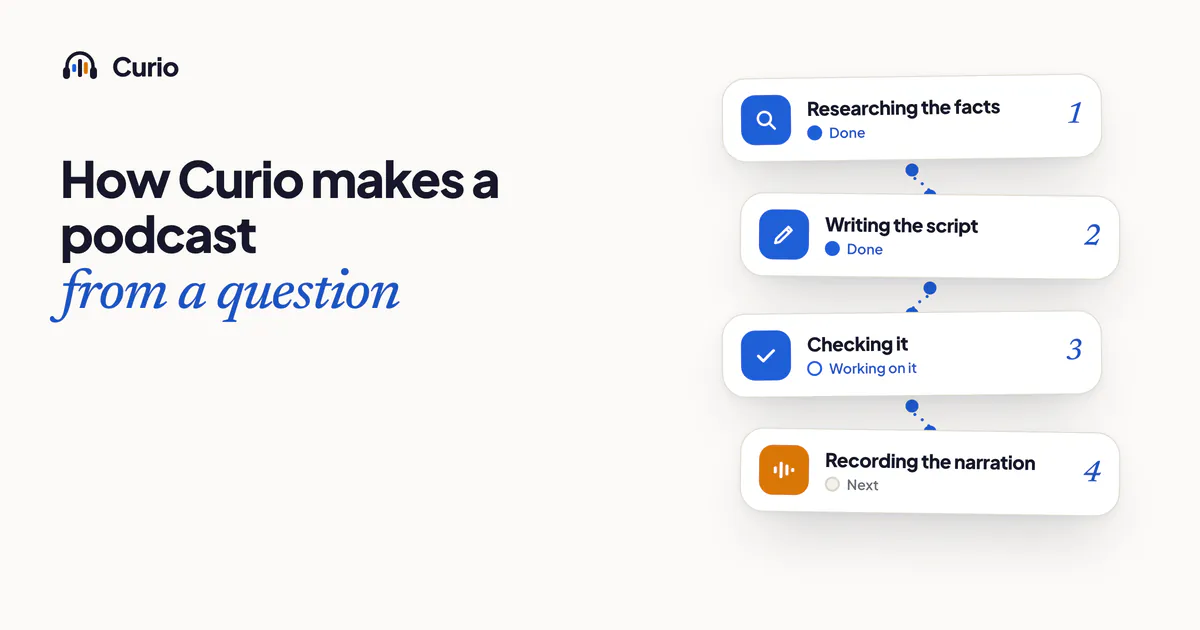
You type or say something like "Why do bats see with sound?" A few minutes later, there is a podcast with a narrator, music and a title. What happens in between? This post follows one question from start to finish, and sticks to what Curio actually does.
1. You ask
You type a topic, or hold the microphone button and say it. If you speak, the recording is sent to be turned into text and is not kept by us. Then you choose who is listening, using an age group such as 5 to 7 or 8 to 11, and how long the podcast should be: 3, 6 or 10 minutes.
If someone has already asked for the same topic, the finished podcast can play at once. Otherwise Curio makes it.
2. The topic gets a safety screen
Before anything is made, a safety screen looks at the topic. This happens first on purpose: if a topic is not suitable, nothing is written and nothing is recorded. The screen runs on every topic. It is a screen, not a promise that nothing will ever slip through, which is one reason we tell parents that podcasts are made with AI and can contain mistakes.
3. Curio researches
Curio researches the topic. Research comes first so that the writing has something real to work from, instead of being made up as it goes.
4. Curio writes
Next comes a script in the style of a short documentary: a clear opening, a thread that carries the listener through, and an ending. It is written for the age group you picked, and it is a story with a beginning, middle and end, rather than a list of facts.
5. Curio checks
A checking pass then goes over the script against what the research found. Anything that does not match is meant to be fixed before the script moves on.
We want to be careful about this step. It makes mistakes less likely. It does not make them impossible. Curio is made with AI, and a podcast can still get something wrong. If you notice an error, tell us the topic and the title and we will look at it.
6. Curio records
Now the script is read aloud by a narrator. Music, background sound and sound effects are mixed in, so a story about bats at night can sound like a night. The result is saved as an audio file.
7. You listen
When the podcast is ready, Curio tells you. You do not need to wait on the screen: you can leave the app and come back, and you can play the podcast with the screen off. It stays in your library, and the audio is kept so that it can play again without being rebuilt.
A few things that stay true throughout
- No ads inside. Nothing interrupts a podcast.
- Limits. There are daily limits that stop abuse, and a limit on how many minutes of your own podcasts you can make. Your first 3 are free.
- Who helps. Curio uses services from Google and others to write and narrate podcasts and to turn speech into text. The privacy policy lists each one and what it receives.
- You stay in charge. A grown-up PIN protects settings and profiles.
Why we describe it this way
We could have called this "magic," and some companies would. But a parent deciding what a child listens to deserves a plain account of what happens. If you want to know why we think a told story is worth offering, we wrote about it, with the research and its limits, in Why a story beats a recommended video for a curious child.
If you want to try it, the first 3 podcasts of your own are free, and a new free podcast arrives every day.
Your child asks. Curio tells the story. No ads inside, and your first 3 podcasts are free.
Download Curio